Training & development
How to Turn an SOP into a Training Module People Can Actually Use
Convert one approved procedure into lessons, a realistic quiz, and a supervised practice task—with a complete client-reporting example and Cloopp screenshots.

A new account manager reads your reporting SOP, nods, and sends their first report with the wrong date range. The document explained the clicks, but nobody checked whether the reader could recognize a bad result. Training closes that gap. This walkthrough turns a monthly-reporting procedure into a short course that teaches the decision, tests it, and finishes with a real practice task. Cloopp holds the course and progress; a manager still checks the actual work.
01
Start with a task, not a library of reading
An SOP supports somebody while they perform work. A course prepares them to perform it. Copying every SOP paragraph into a lesson creates a second reference library, not a learning experience. Choose one task with a visible result: prepare an accurate monthly client report, route an urgent request, or check a campaign before launch.
Before building, ask the process owner to verify the source procedure against the last successful example. A course made from outdated instructions teaches mistakes more efficiently. Identify the two decisions a beginner is most likely to get wrong and make those the center of the lesson.
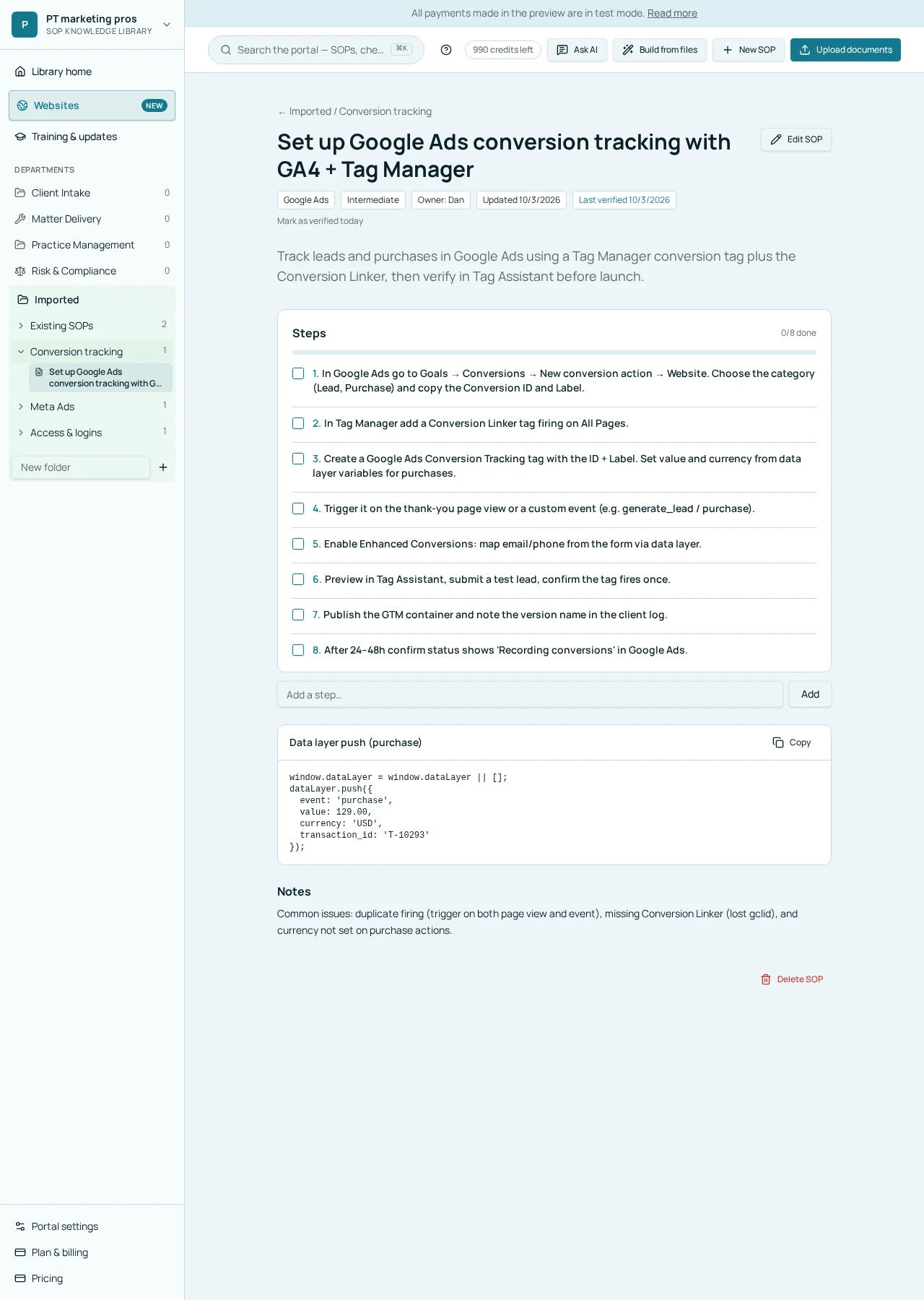
02
Step 1: Map the SOP to a small lesson plan
Use the procedure’s prerequisites as the preparation lesson, its main actions as the demonstration, and its verification checks as the assessment. Keep reference material in the SOP rather than repeating long tool documentation. A short lesson should answer what the learner is doing, why it matters, and what a correct result looks like.
For monthly reporting, three lessons are enough for a first version. The first checks access and reporting dates. The second explains comparison periods and commentary. The third checks the final deliverable and escalation conditions. These are suggested editorial choices, not an automatic course structure enforced by Cloopp.
Copy-ready course outline
Course: Client Success — Prepare a monthly report
Outcome: Produce a checked draft for lead review
Lesson 1: Confirm client, access, and date range
Lesson 2: Explain results without guessing causes
Lesson 3: Verify links, commentary, and approval
Practice: Prepare a report from an approved sample dataset
Reviewer: Account lead
03
Step 2: Create and review the draft in Cloopp
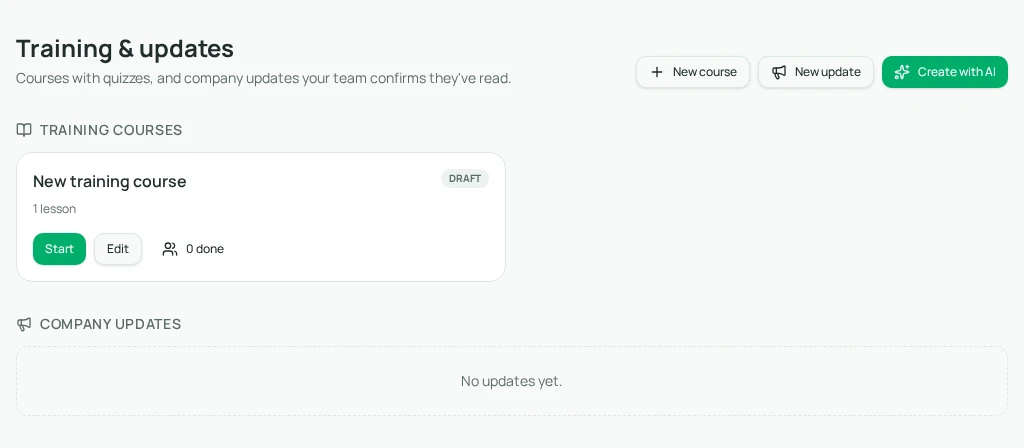
Open Training & updates as an owner or admin. Create with AI opens a brief and optional document upload. Choose Training course, supply the verified source text or files, and explain the outcome and intended audience. Draft it uses one AI credit and creates an unpublished draft.
The module generator accepts up to five files. Split a large collection into focused courses rather than uploading the whole handbook. Review every generated lesson and answer before publishing: AI can turn an informal suggestion into an apparent rule or invent an escalation contact.
- 1Open Training & updates → Create with AI → Training course.
- 2Describe the audience and outcome; paste the relevant SOP content into the brief or upload its document.
- 3Select Draft it, then inspect the draft’s title, summary, lesson bodies, and quiz answers.
- 4Replace invented thresholds and contacts with the real policy; use Add lesson or Add question where needed.
- 5Select Save before Preview so the learner view reflects your saved work. Publish only after the review.
04
Worked example: teach the reporting decision
A weak question asks, “Which button exports the report?” A stronger scenario says, “The conversion total fell, but the comparison period has three fewer days. What should you check before writing the summary?” The expected answer is to confirm comparable periods and measurement context, not to claim the campaign deteriorated.
Pair the question with a sample report containing one deliberate date error. Ask the learner to correct it and explain the correction to their lead. Cloopp records lesson and quiz progress; the supervised sample task is a management practice outside the quiz engine. Completing the course does not automatically certify someone for live client work.
Before
- • Read a long procedure
- • Confirm that it was opened
- • Send live work without a practice review
After
- • Study a focused decision
- • Answer a realistic scenario
- • Prepare a sample and receive human feedback
05
Troubleshooting and a sensible rollout
If learners cannot see the course, check that it is published in their workspace and that they signed in under the invited account. An unpublished draft is visible to administrators, not ordinary members. If video fails, use a supported YouTube, Vimeo, or Loom link and check that the host permits viewing; the lesson field is not raw video storage.
If quiz results are weak, inspect the lesson before blaming the learner. Does it actually teach the rule used in the correct answer? Quizzes use a 70% passing threshold, not a configurable certification policy. For high-risk work, add a separate human sign-off and do not equate a passing score with permission to operate independently.
Pilot the course with one new teammate, note confusing phrases, and improve the source SOP and course together. Keep a short owner note in the course summary so someone knows who should revise it after a process change.
Frequently asked questions
- Does editing the source SOP update the course automatically?
- No. Treat the course as separate content and review it when its source procedure changes.
- Can we build the course without credits?
- Yes. New course and manual editing do not use AI credits. Create with AI consumes a credit for its draft.
Put it into practice
Teach one important process this week
Verify an SOP, create a focused course, and pilot it with one learner before rolling it out to the team.
Explore free templates