SOP Studio
SOP Templates Are a Starting Point. Here's How to Get a Finished SOP in Minutes
Why downloaded SOP templates stall, what a finished SOP needs, and how Cloopp SOP Studio turns a short process description into an editable, exportable procedure.

Most people searching for an SOP template are not collecting templates. They need one procedure, written properly, ready to hand to a team, a manager or a client — often by the end of the day. A blank template helps with layout, but you still have to write every step, owner and check yourself. This guide explains what a finished SOP actually contains and how SOP Studio gets you there without starting from an empty page.
01
Why downloaded SOP templates stall
A typical template is a document with headings and placeholders: Purpose, Scope, Responsibilities, Procedure. It looks complete until you try to fill it in. The hard part — deciding the order of steps, who owns each one, and how anyone knows the step was done correctly — is still left to you.
Templates are also generic by design. A Google Ads launch, a clinic sharps-disposal routine and a warehouse receiving process need different safety notes, different checks and different language. One layout rarely fits all three.
- Placeholders such as [Insert step here] remain for weeks
- Steps describe intentions, not observable actions
- No owner per step, so accountability is unclear
- No verification, so mistakes are found late
- Industry risks and compliance notes are missing
02
What a finished SOP contains
A procedure is ready to use when someone new can follow it without asking questions. That needs more than a list of steps. Each element below answers a question people otherwise ask in chat.
- Header: role, department, frequency, expected duration and trigger
- Prerequisites: tools, access and information needed before starting
- Numbered steps, each with an owner, an action, an output and a check
- Safety or compliance callouts where the industry requires them
- Definition of Done: how you know the whole process is complete
- Troubleshooting: common problems and what to do
- Sign-off block for approval and review dates
Copy-ready step format
Step 3 — Verify conversion tracking
Owner: Media buyer
Action: Fire a test conversion from the landing page.
Output: Conversion appears in Google Ads diagnostics.
Check: Status shows 'Recording conversions' within 24 hours.
03
How SOP Studio builds the procedure
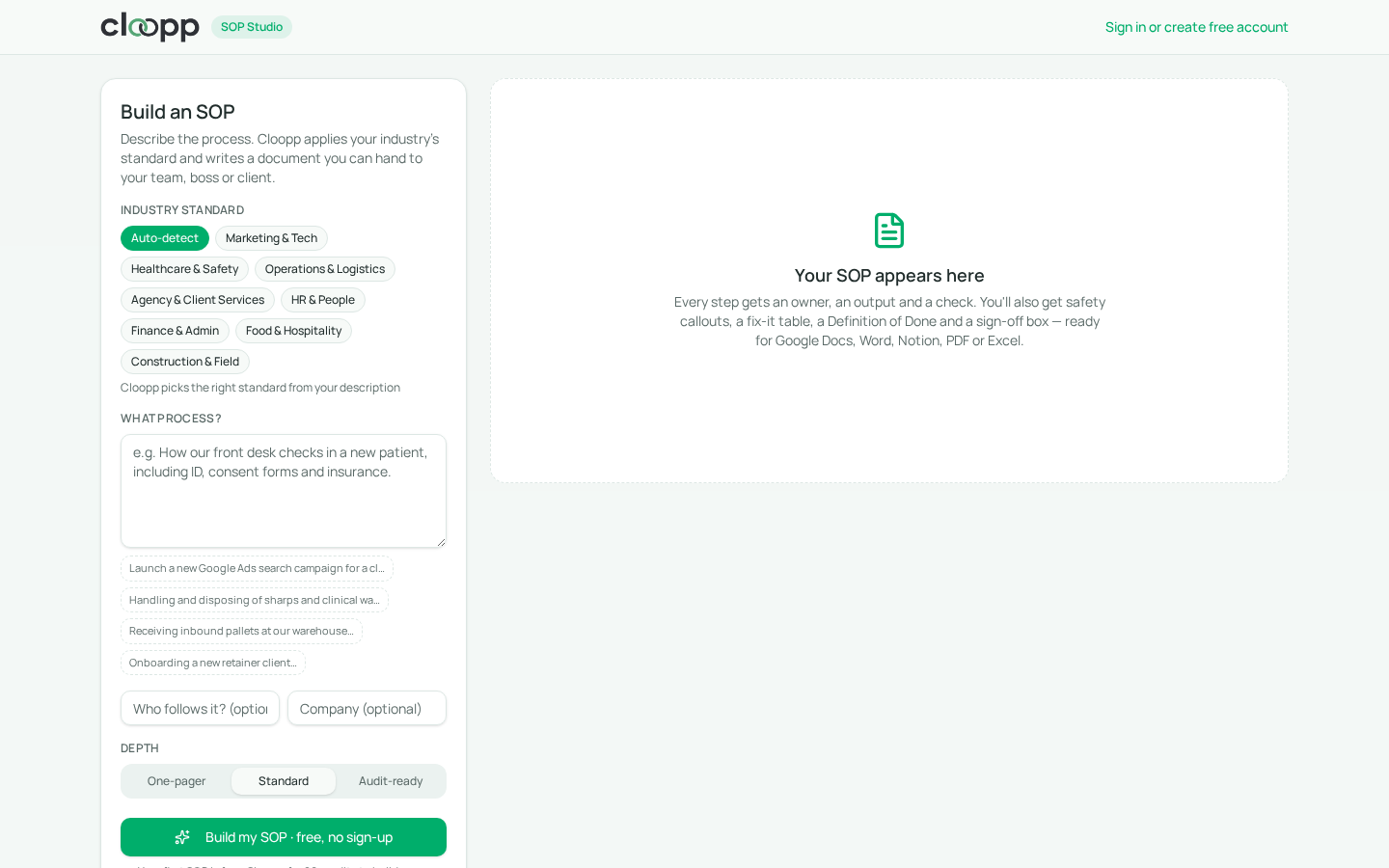
SOP Studio starts from what you know — a sentence or two about the process — and produces the full structure above. You choose an industry standard or let Cloopp detect it, pick a depth, and watch each part of the document being built.
- 1Open SOP Studio — no account is needed for your first SOP.
- 2Choose an industry standard such as Healthcare & Safety or Marketing & Tech, or keep Auto-detect.
- 3Describe the process in plain words, including tools and anything that must not be missed.
- 4Pick One-pager, Standard or Audit-ready depth.
- 5Select Build my SOP and follow the live progress on the right.
- 6Edit any step, then copy or download it for Google Docs, Word, Notion, PDF or Excel.
04
Template vs. SOP Studio: a direct comparison
Both have a place. If you already have a finished procedure and only need formatting, a template is fine. If you need the procedure written, the Studio saves the slowest part of the work.
Before
- • Blank headings you fill in yourself
- • Same layout for every industry
- • Owners and checks often skipped
- • Copy-pasted into a document and forgotten
After
- • Complete draft from a short description
- • Industry-aware safety and compliance notes
- • Owner, output and check on every step
- • Saved to My SOPs, editable and exportable any time
05
Examples by industry
The same request style works across very different teams. These are the kinds of descriptions that produce strong first drafts.
- Marketing: Launch a new Google Ads search campaign for a client, including budget approval and conversion tracking.
- Healthcare: Handling and disposing of sharps and clinical waste in a dental clinic.
- Logistics: Receiving inbound pallets, checking against the purchase order and logging damage.
- Agency: Onboarding a new retainer client from signed contract to kickoff call.
- HR: First-week onboarding for a remote hire, including equipment and account access.
06
Troubleshooting and limitations
AI drafts are a strong start, not a substitute for the person who owns the process. Review every SOP before sharing it as official guidance, especially in regulated work.
- The draft is too generic: add tools, numbers and who is involved, then build a new version.
- A step is wrong for your company: edit it inline; the export uses your edited version.
- You need regulatory wording: use Audit-ready depth and have a qualified person approve it.
- You used your free guest SOP: create a free account to keep building and save to My SOPs.
Frequently asked questions
- Do I need an account to try SOP Studio?
- No. Your first SOP is free without signing up. Create a free account to build more and keep them in My SOPs.
- Which formats can I export?
- You can copy for Google Docs or Notion, print to PDF, or download Word and Excel (CSV) files.
- Will it invent details about my company?
- It is instructed not to invent internal policies or values. Include the real details you want in the description and review the draft before use.
Put it into practice
Build your first SOP free
Open SOP Studio, describe one process and get a finished, editable procedure — no sign-up needed for your first one.
Explore free templates