Quality & improvement
From a Missed Deadline to a Better SOP: A Practical Retrospective
Reconstruct an incident without blame, identify a usable control, update the procedure, and test whether the fix would actually prevent a repeat.
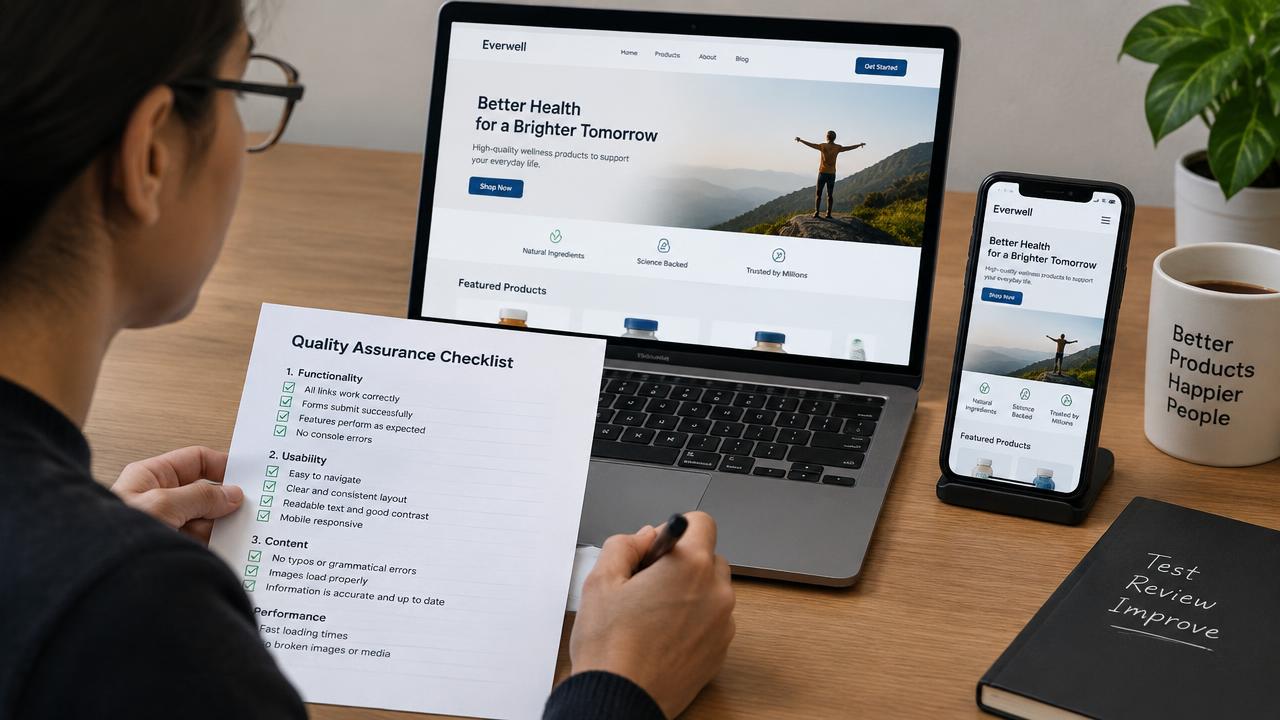
A deadline is missed, the team apologizes, and everyone promises to communicate better. The next project fails in the same way because “communicate better” is not a control. A useful retrospective turns the incident into an observable signal, named action, and verification step. This walkthrough uses a fictional creative review delay to show how to improve a Cloopp SOP without turning the library into a blame archive or adding a checklist nobody follows.
01
Reconstruct the sequence before choosing the fix
Build a short factual timeline: when the work was ready, who received it, which approval was required, when the delay became visible, and what the team did. Separate known facts from assumptions about intent. The purpose is to understand how the work moved, not decide who cared least.
For the fictional incident, the designer completed the assets on time but sent the review request to a client contact who was not the designated approver. The deadline passed while everyone assumed approval was underway. “Work faster” would not address this failure. Confirming the approver and tracking the pending decision would.
02
Step 1: Write a control that someone can perform
Identify the earliest practical intervention. A prerequisite could say “confirm the named client approver and backup before sending the review request.” A step could say “record the request and due date in the project tracker.” A verification check could confirm that approval came from the authorized person.
Use the actual agreed response and escalation policy. Do not invent a default deadline or assume silence means consent. Ask the process owner what happens when the approver is unavailable and how the team should inform the client of the schedule impact. A control must be feasible within your real tools and authority.
Retrospective-to-control worksheet
Incident: [missed creative approval deadline]
Observed failure: [request sent to wrong contact]
Earliest useful signal: [approver not confirmed]
New control: [check approver before sending]
Owner: [account role]
Evidence: [approval request in project tracker]
Exception: [backup and escalation route]
Test: [replay the incident against revised SOP]
Review after: [next two comparable tasks]
03
Step 2: Update the existing Cloopp procedure
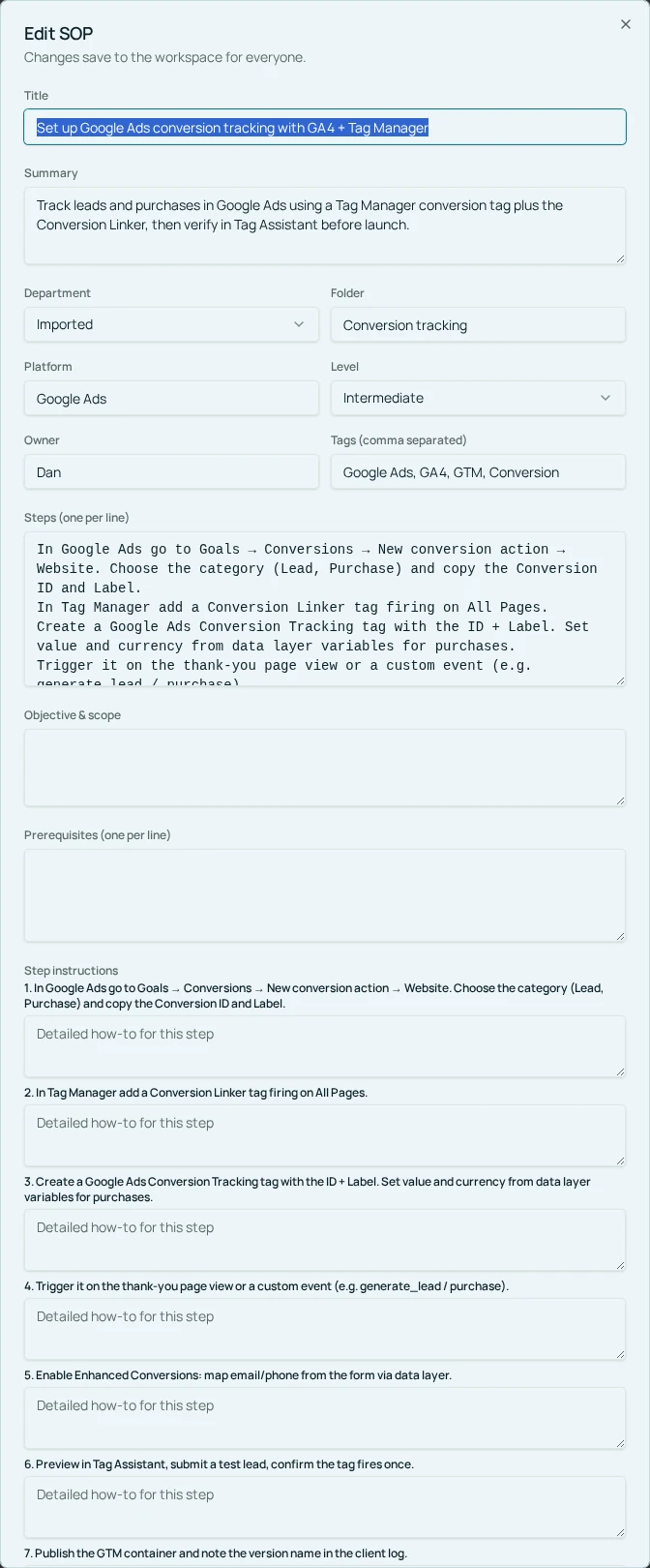
Search for the procedure that governs the failed handoff. As an owner or admin, select Edit SOP and update the relevant prerequisite or Step instructions. Place the new check where the action happens, and add verification or notes for the escalation detail. Avoid creating a second competing procedure called “New approval process.”
Save changes and reopen the reader to check the wording in context. If an imported draft is used to propose a replacement, review it before approval and reconcile it deliberately with existing content. Do not assume uploading revised notes automatically updates or deduplicates the current SOP.
- 1Find the procedure governing the incident’s decision point.
- 2Open Edit SOP and add the smallest actionable prevention check.
- 3Clarify the owner, required evidence, and exception route.
- 4Update verification and supporting notes without copying sensitive incident details.
- 5Save changes, inspect the reader, and tell the team where the rule changed.
04
Step 3: Replay the incident against the revised instructions
Give a teammate the same sanitized situation and ask what they would do with the new SOP. If the instructions still allow them to send the request to any available contact, the fix is not precise enough. If it requires information nobody can obtain, the fix is not practical enough.
Then observe the next two real tasks using the process. Check whether the new action was performed and whether the evidence is easy to find. This is a manual improvement experiment, not an automatic incident-prevention guarantee. A process can be correct on paper and still fail because ownership or tool access is unclear.
Before
- • “Communicate better next time”
- • Lesson stored in a private meeting note
- • No test of the proposed fix
After
- • A specific approver check
- • Current procedure updated at the decision point
- • Sanitized replay and real-task follow-up
05
Troubleshooting blame, checklist growth, and weak evidence
If the conversation focuses on one person’s carelessness, return to the observable workflow: what information was available, what action the procedure required, and what would make the correct action easier. Individual performance issues may need a separate confidential management process; they do not belong in a public SOP.
If every incident adds five checks, review whether existing controls already cover the risk. Clarify or consolidate them instead of growing the document indefinitely. Remove duplicated reminders that do not change a decision. A short procedure with one effective check is more usable than a long procedure written to demonstrate concern.
If a reviewer marks the SOP current without testing the changed step, the verified date gives false confidence. Use freshness review as a prompt to inspect actual work, not merely update a label. When the process genuinely changes, check related training and templates so the old instruction does not survive elsewhere.
Frequently asked questions
- Should the incident report be stored in the SOP?
- Usually keep the detailed incident record in its appropriate internal system. Add the sanitized prevention rule and useful exception guidance to the SOP.
- Does updating an SOP notify everyone automatically?
- Do not assume automatic notification. Communicate the material change through your normal team channel or publish a separate company update when acknowledgment is needed.
Put it into practice
Turn one lesson into a usable control
Choose a recent recurring failure, revise the procedure at the decision point, and test the new instruction before calling the fix complete.
Explore free templates