Pillar guide
Client Portals and Websites for Agencies: Give Clients a Branded Home and Launch Sites Faster
When to use a private client portal, when to build a public website, and a step-by-step process for both — including access control, branding, contact forms and launch checks.

Agencies are asked for two very different things that both get called 'a portal' or 'a site'. One is a private space where a client finds their onboarding steps, brand guidelines and reports. The other is a public website for a small business client. Mixing them up leads to security mistakes and wasted work. This guide explains the difference, how to set up a private client workspace safely, and a practical process to plan, build and launch a small business website.
01
Private portal or public website?
A client portal is private: only invited people can sign in, and each client sees only their own workspace. Use it for onboarding steps, guidelines, approved assets, and the SOPs the client needs to follow on their side.
A website is public: anyone can visit, search engines can index it, and its job is to attract and convert customers. Use it for a client's business presence, services and contact form.
Before
- • Brand guidelines emailed as PDFs
- • Clients asking where files are
- • Small-business site quotes taking weeks
After
- • Private, branded workspace per client
- • Clients find everything themselves, read-only
- • Site drafted, reviewed and published in days
02
Setting up a private client workspace
Create a workspace per client so their content is completely separate. Invite client contacts as members: they can search and read, but not edit, delete or change branding. Internal staff can be given access to several workspaces at once.
- 1Create a new workspace named after the client.
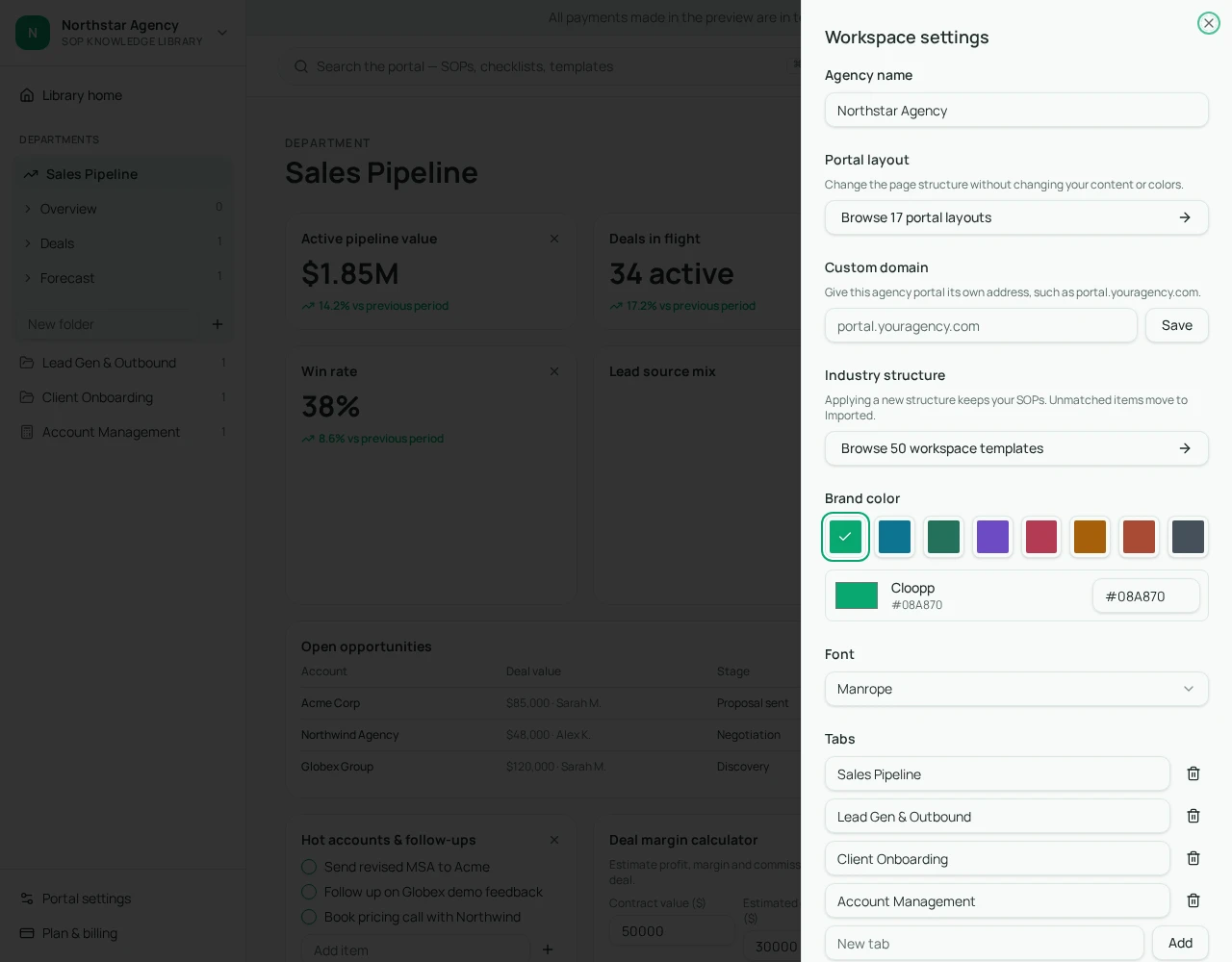
- 2Apply the client's logo and colours so it feels like their space.
- 3Add only what they need: onboarding steps, guidelines, key links.
- 4Open Team access, tick only this workspace under 'Give access to', and invite with the Member role.
- 5Check by signing in as a test member before inviting the client.
03
Planning a small business website
Most small business sites fail on planning, not design: no clear offer, no clear call to action, and copy written last. Get the content right first.
- Who is the site for, and what one action should they take?
- Pages: home, services, about, contact — add more only with a reason.
- Proof: testimonials, results, logos the client is allowed to show.
- Real photos of the business wherever possible.
Website brief
Business:
Customers and location:
Main service and price range:
One action visitors should take:
Tone (e.g. friendly, premium, technical):
Pages needed:
Photos available:
04
Building and launching with Cloopp's website builder
Cloopp's Websites section lets you start from a free template or describe the business and have AI draft the full site (one credit). You then edit text, sections, colours and fonts by hand for free, upload a logo and photos, and set where each button goes.
AI changes are previewed before they apply, and recent AI changes can be undone. Every site includes a working contact form; messages arrive in the site's inbox in the editor.
- 1Open Websites and pick a template or describe the business for an AI draft.
- 2Replace placeholder text with the client's real details and prices.
- 3Upload the logo and real photos; set button links.
- 4Preview on mobile, then Publish and open 'View live'.
- 5Send yourself a test message through the contact form and confirm it appears in the inbox.
05
Launch checklist
Run this before telling the client the site is live.
- Business name, phone and address spelled correctly everywhere.
- Every button goes somewhere sensible.
- Contact form tested end to end.
- Photos load quickly and look right on a phone.
- Client has approved the final copy in writing.
Frequently asked questions
- Can clients see other clients' workspaces?
- No. Each workspace is private, and people only see the workspaces they were invited to.
- Does building a website cost credits?
- Templates and manual editing are free. AI site generation and AI edits use one credit per run.
Put it into practice
Give every client a proper home
Set up private, branded client workspaces and launch small business sites from the same account.
Explore free templates