Pillar guide
The Agency SOP Operating System: How to Document, Run and Scale Delivery
A complete, practical system for agency SOPs: what to document first, how to write procedures people follow, worked examples for SEO, social, web design and QA, and how to keep it all usable as you grow.

Most agencies don't have a documentation problem — they have a findability and trust problem. Procedures exist in Google Docs, Loom videos, Slack threads and the heads of two senior people. New hires ask the same questions, quality drifts between account managers, and the founder becomes the bottleneck for every 'how do we do this?' This guide lays out a full operating system: which processes to document first, how to write SOPs people actually follow, worked examples from SEO, social and web delivery, and how to keep the library alive. We'll show where Cloopp fits at each step, and where plain discipline matters more than any tool.
01
The real cost of undocumented delivery
Undocumented work rarely fails loudly. It fails as small, repeated leaks: a monthly report that goes out with last month's date range, a website launched without redirects, a social calendar approved by the wrong stakeholder. Each mistake looks like a one-off, so nobody fixes the root cause.
The pattern behind most of these leaks is the same. The person doing the work is relying on memory, and the memory belongs to someone else. When that person is on leave, busy or gone, quality drops to whatever the newest team member can guess.
An SOP operating system replaces guessing with a single, trusted answer for every recurring task. It does not need to be big. It needs to cover the work that repeats, the work that is risky, and the work that new people do first.
Before
- • Process lives in a senior AM's head
- • Five versions of 'launch checklist' across Drive
- • New hires shadow for weeks
- • Mistakes are fixed per client, never at the source
After
- • One approved SOP per recurring task
- • Search returns a single current version
- • New hires follow steps from day one
- • Every fixed mistake becomes a step in the SOP
02
Step 1: Choose what to document first
Teams that try to document everything stall within two weeks. Start with a short list ranked by two questions: how often does this task happen, and how expensive is it when it goes wrong?
For most agencies the first ten SOPs are the same: client onboarding, monthly reporting, campaign or site launch, creative approval, access and password handling, QA before anything goes live, offboarding, and the two or three core delivery tasks of your main service line.
- 1List every recurring task your team did in the last 30 days (look at your project tool and calendar, not memory).
- 2Score each one 1–3 for frequency and 1–3 for risk.
- 3Document anything scoring 5 or 6 this month; anything at 4 next month.
- 4Assign one owner per SOP — the person who does the work most, not the founder.
Prioritization worksheet
Task | Frequency (1-3) | Risk (1-3) | Score | Owner
Monthly client report | 3 | 2 | 5 | Account manager
Website launch | 2 | 3 | 5 | Web lead
Ad account access setup | 2 | 3 | 5 | Paid media lead
Blog post publishing | 3 | 1 | 4 | Content editor
03
Step 2: Pick the right format — SOP, work instruction or checklist
A common reason SOPs are ignored is that they are the wrong shape for the job. A ten-page procedure for a five-click task gets skipped; a three-line checklist for a site migration gets misread.
Use a full SOP when a process involves judgement, several people or a client-facing risk. Use a work instruction for a single tool task done by one person. Use a checklist when the person already knows how and only needs a guard against skipping steps — QA and launch reviews are classic examples.
- SOP: objective, prerequisites, numbered steps with detail, verification, troubleshooting, owner.
- Work instruction: one tool, one person, screenshots or exact clicks.
- Checklist: short, binary items checked at the moment of doing the work.
04
Step 3: Write SOPs people follow
Good SOPs read like instructions from a calm senior colleague. Each step starts with a verb, names the tool, and says what 'done' looks like. Bad SOPs describe intentions ('ensure quality is maintained') instead of actions ('open the PageSpeed report and confirm mobile score is above your target').
Write the verification step before you write anything else. If you cannot describe how someone checks their work, the process is not understood well enough to document yet.
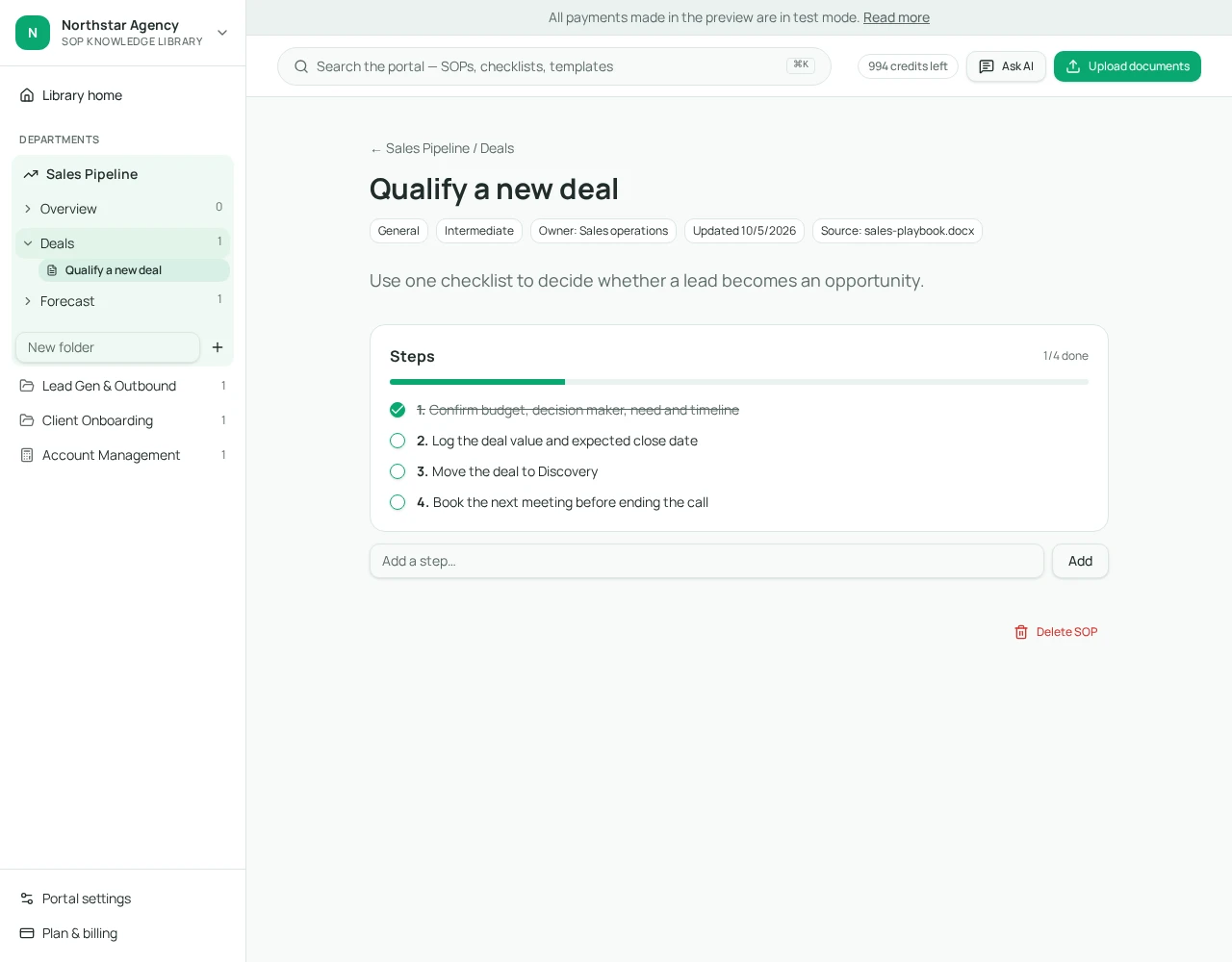
SOP skeleton you can copy
Title: [Verb] + [object] — e.g. 'Publish a monthly client report'
Objective: what outcome this produces and for whom
Prerequisites: access, inputs and approvals needed before starting
Steps:
  1. [Verb] in [tool]: what to do and what you should see
  2. ...
Verification: how you prove it was done correctly
Troubleshooting: the 3 most common failures and fixes
Owner / last verified: name, date
05
Worked examples: SEO, social, web design and QA
SEO — monthly technical check. Objective: catch crawl and indexing problems before they hit traffic. Steps cover exporting Search Console coverage, comparing indexed pages month over month, checking new 404s and redirect chains, and logging fixes in the client's tracker. Verification: the change log has an entry for every issue found.
Social — content calendar approval. The SOP names who drafts, who reviews internally, and the single client approver. The most common failure is approval by the wrong person on the client side, so the prerequisite step is 'confirm approver name in the client record'.
Web design — pre-launch. Covers forms tested end to end, redirects mapped from the old site, analytics firing, favicon and social share image set, and a mobile pass on real devices. The troubleshooting section lists what to do when DNS changes don't propagate.
QA — any deliverable. A short checklist run by someone who didn't build the work: links, spelling of the client's brand, dates, tracking, and one 'would the client be embarrassed by this?' read.
06
Step 4: Use AI without losing control
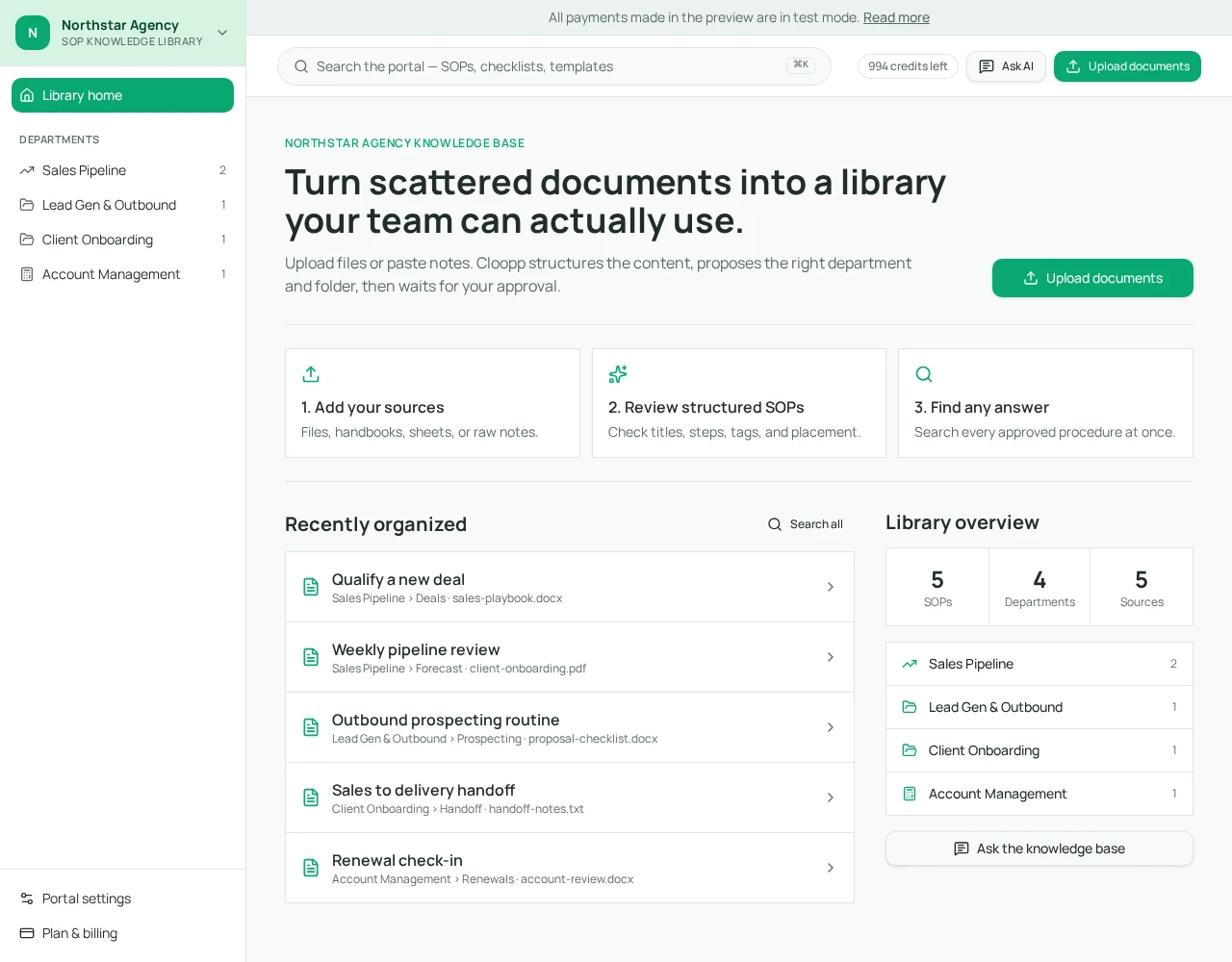
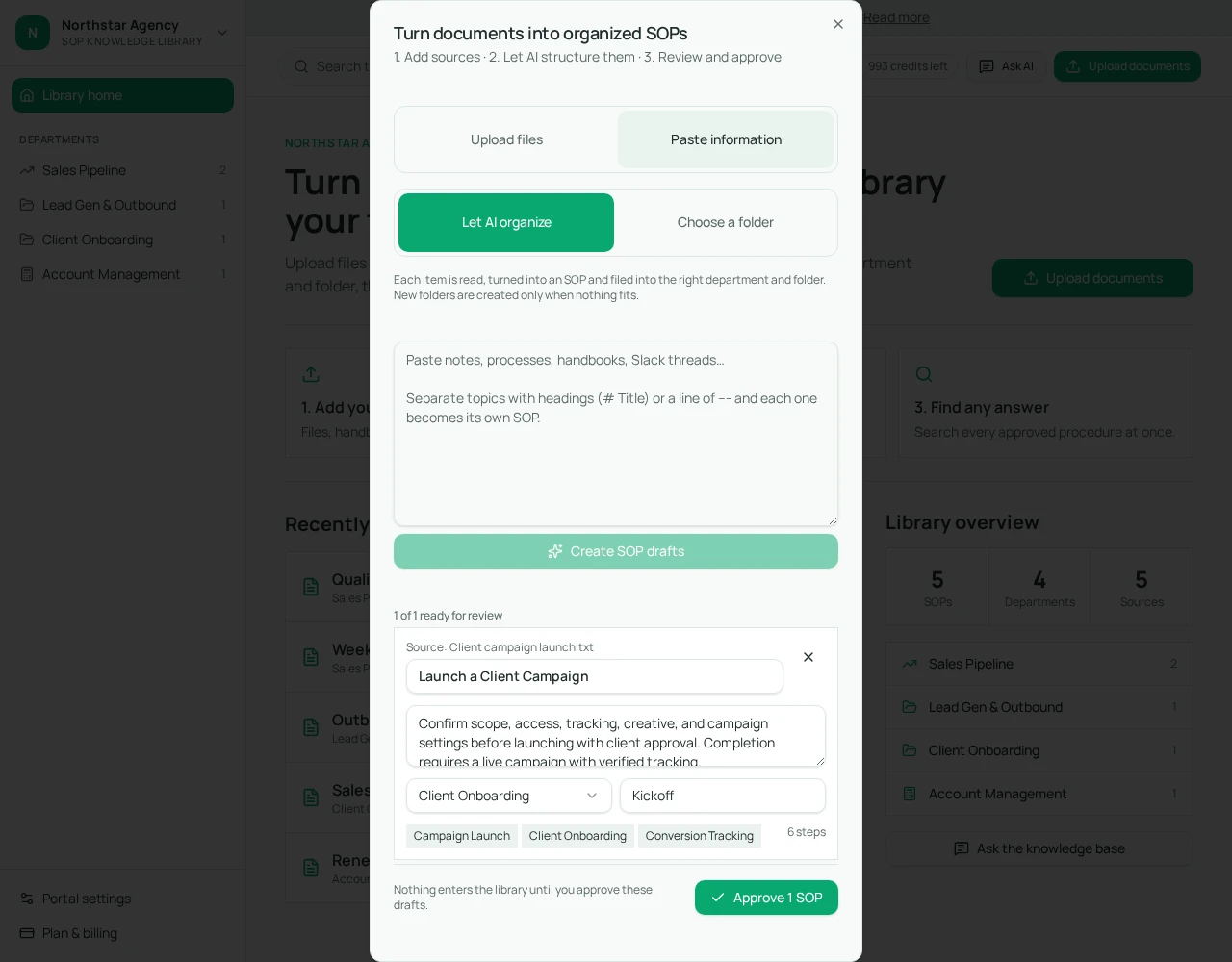
AI is genuinely useful for turning a messy brain-dump, an old doc or a Loom transcript into a structured draft. It is risky when it invents steps nobody does, or when drafts go live without a human check.
In Cloopp every AI draft lands in a review queue first. You open 'Preview & edit full SOP', fix titles, add or remove steps, and only approved procedures enter the searchable library. Each AI run costs one credit; reading, searching and manual editing are free.
07
Step 5: Roll it out and make it stick
An SOP library only works if it is the first place people look. That means links from your project tool tasks straight to the relevant SOP, new hires onboarded through the library, and a rule that 'if you answer a process question in Slack, link the SOP — or write one'.
Track a simple signal: how many times a week someone asks a process question that already has an SOP. That number should fall month over month.
- 1Announce the library with the first ten SOPs, not an empty shell.
- 2Add the SOP link to every recurring task template in your project tool.
- 3Make the library the new-hire starting point (see our guide on eliminating repeat questions).
- 4Review high-risk SOPs on a schedule (see the 90-day freshness audit).
Frequently asked questions
- How many SOPs does a small agency need?
- Start with the 8–12 tasks that repeat most or carry the most client risk. Most agencies under 20 people run well on 30–60 SOPs after the first year.
- Who should write SOPs?
- The person who performs the task most often drafts it; a lead reviews it. Founders should approve, not write everything.
- Can AI write our SOPs?
- AI can produce a strong first draft from existing documents or notes. A human should always review and approve before the team relies on it — in Cloopp that review step is built in.
Put it into practice
Start your library with proven templates
Pick a template for your agency type, upload the documents you already have, and approve the SOPs you want your team to follow.
Explore free templates